

What Exactly Is a Tracking Number?
Every time a seller hands over your package to a courier company, that shipment gets assigned a unique number. People call it different things — tracking number, AWB number, consignment number, waybill number — but they all mean the same thing. Think of it like a fingerprint for your package. No two shipments share the same number, and it is the one piece of information that lets you follow your parcel from the warehouse all the way to your doorstep.
You will usually find this number in the shipping confirmation email or SMS that the seller sends you right after dispatch. Some e-commerce platforms like Amazon and Flipkart also show it directly inside your order details page. If you have ordered from a smaller business or a local shop, just ask them for the tracking number — any legitimate seller will happily share it with you.
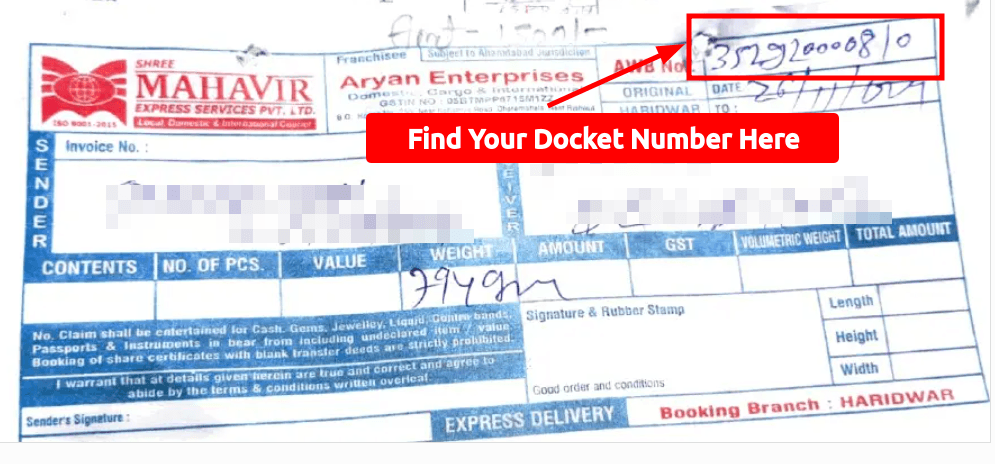
What does a Shree Mahavir Courier docket number actually look like? It is a plain numeric string, usually between eight and fourteen digits long. A typical Mahavir docket number looks something like 85291000810 or 52910008 — no letters, no spaces, just digits printed in bold above the sender and receiver block on the booking slip. Other Indian couriers use slightly different formats. Blue Dart prints ten or eleven digit numbers, Delhivery uses twelve to fourteen digit codes, DTDC mixes letters and digits like X12345678, and India Post Speed Post uses a thirteen-character code ending in IN, for example EM123456789IN. The format does not change how you track — the portal accepts every variation — but knowing what to look for on the slip saves you a few seconds of squinting at the receipt.
Where Do You Actually Track It?
Once you have got your tracking number, the next step is figuring out where to enter it. Every courier company has its own tracking portal on their website. But here is the thing — most people do not even know which courier company is handling their shipment. The seller picks the courier, not you. So you might get a tracking number but have no idea whether it belongs to Delhivery, Blue Dart, DTDC, or someone else entirely.
This is exactly where a unified tracking platform saves you a massive headache. Instead of hunting down the right courier website, you can simply visit Mahavir Courier Tracking and enter your AWB number in one place. The platform identifies the courier automatically and pulls up your shipment status in seconds. No guessing, no jumping between five different websites.
Step-by-Step: How to Track Your Package
- Find your tracking number from the order confirmation email, SMS, or your account on the shopping platform. It is usually a string of 8 to 20 digits or alphanumeric characters.
- Go to the courier's official website or use a unified tracking portal. If you are not sure which courier is delivering your package, a platform like Mahavir Courier Tracking can detect it for you automatically.
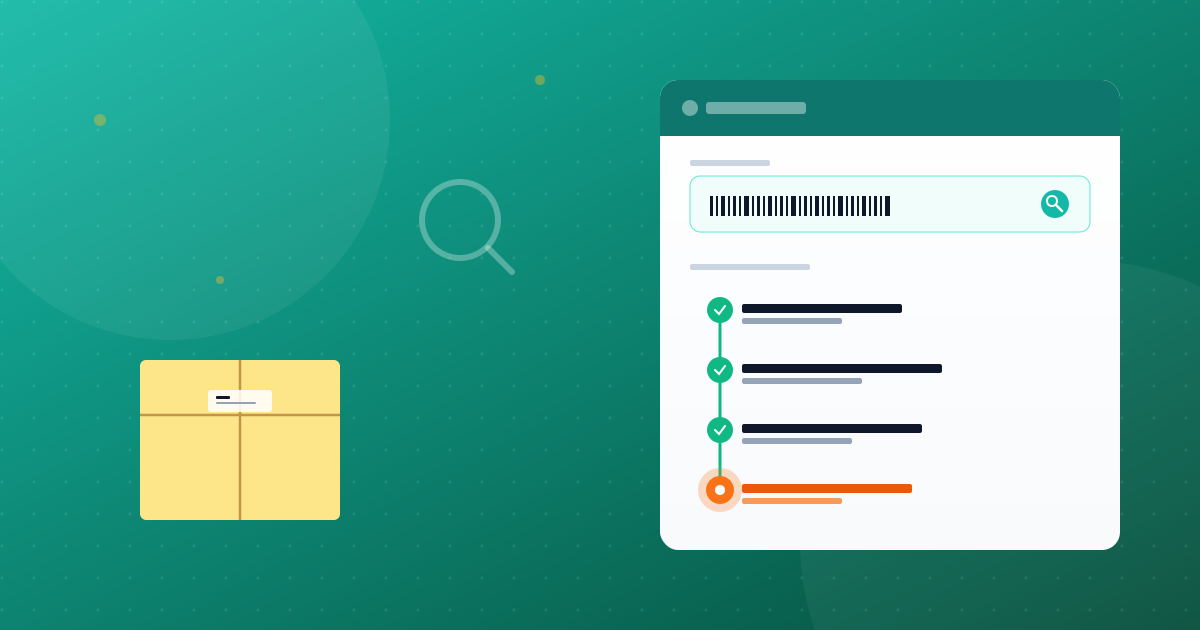
- Enter the tracking number in the search bar and hit track. Within a few seconds, you will see a timeline of your package's journey — from pickup to the nearest hub to out-for-delivery.
- Read the status updates carefully. Each scan point tells you where your package is at that moment. Common statuses include Picked Up, In Transit, Out for Delivery, and Delivered.
- Check back periodically. Packages do not update every minute. Depending on the courier and route, updates might come every few hours or once a day, especially during long-distance transit.
Understanding Common Tracking Statuses
Tracking portals throw around a bunch of terms that can be confusing if you are seeing them for the first time. Let me walk you through the most common ones. When your status says Shipment Picked Up, it means the courier has collected the package from the seller's warehouse. This is the starting point. In Transit means your parcel is moving between sorting facilities — it could be on a truck, a train, or even a plane depending on the distance.
Out for Delivery is the one everyone loves to see. It means the delivery person has your package in their vehicle and is heading to your address. You should typically receive it within a few hours of this update. Delivered is self-explanatory — someone at your address has received the package. If you see Held at Hub or Address Issue, it usually means there is a problem — maybe the address was incomplete, or nobody was available to receive the package. In these cases, contacting the courier's customer support with your tracking number usually resolves things quickly.
What If Your Tracking Number Is Not Working?
This happens more often than you would think, and it is rarely a reason to worry. The most common cause is that the seller has generated the shipping label but the courier has not physically picked up the package yet. Tracking numbers usually take anywhere from 2 to 12 hours to activate in the system after the label is created. So if you just received your tracking number and it shows no results, wait a bit and try again.
Another possibility is a simple typo. Double-check every digit carefully. One wrong number and the system either shows no result or pulls up someone else's shipment entirely. If you have waited 24 hours and the number still does not work, contact the seller first. They can verify the tracking number with the courier on their end and give you an updated status.
A Few Things That Make Tracking Easier
Here is some honest advice from someone who has tracked hundreds of packages. First, always save your tracking numbers somewhere accessible — a notes app, a screenshot, whatever works for you. Digging through old emails every time you want to check a status gets old fast. Second, if you order frequently, bookmark a reliable tracking portal so you are not searching for it each time.
Third, keep your shipping address as detailed and accurate as possible. A lot of delivery failures and delays happen simply because the address was vague. Include your building name, floor number, a nearby landmark — anything that helps the delivery person find you without calling three times. And finally, if you are someone who shops from multiple platforms and uses different couriers regularly, having one go-to platform like Mahavir Courier Tracking genuinely simplifies your life. You do not need to remember which courier is handling which order — just punch in the number and get your answer.
Tracking your courier package is not rocket science, but it does help to know the basics. Once you understand what a tracking number is, where to enter it, and what the different statuses mean, the entire process becomes second nature. You will stop refreshing your email ten times a day and start checking your tracking portal once or twice with actual confidence. And honestly, that little bit of clarity goes a long way in making the whole online shopping experience a lot less stressful.